ARX CLI Manual for Linux/Windows: Platform
Overview
A platform includes both the hardware and software associated with an SoC. It is organized under a directory that shares the same name as the SoC the user intends to design.
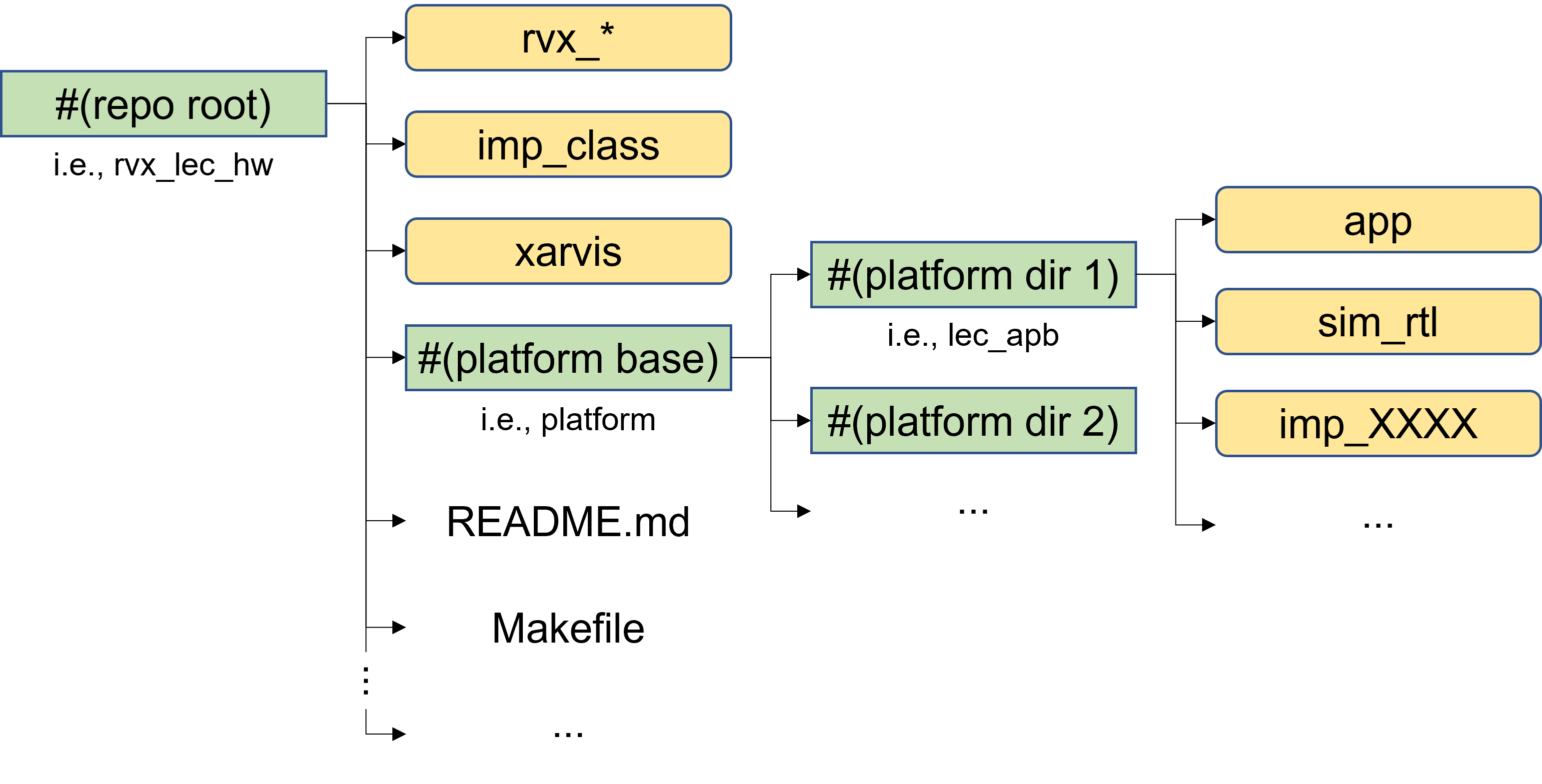
Detailed Structure of the Platform Directory.
In the figure below, lec_apb is both the name of the SoC and the name of the corresponding directory.
File Structure
The structure under #(platform dir) is as follows:
| Path | Usage | Description |
|---|---|---|
| ./#(platform name).xml | Editable | SoC description file |
| ./app/ | Editable | Application development environment |
| ./user/ | Editable | User-managed environment |
| ./util/ | Editable | Utility environment |
| ./sim_rtl/ | Use Only | RTL simulation environment |
| ./imp_XXXX/ | Use Only | FPGA prototyping environment |
| ./arch/ | System Reserved | Generated from ./#(platform name).xml |
| ./fpga_component/ | System Reserved | Used in imp_XXXX |
Functionality
Creating a New Platform
-
Command:
cd #(platform base) make new PLATFORM_NAME=#(platform name) -
Result:
#(platform base)/#(platform name)is created,
which we refer to as#(platform dir).
Designing a Platform
-
Prerequisite:
Creating a New Platform -
Command:
cd #(platform dir)Edit the ./#(platform name).xml file with a text editor.
Synthesizing a Platform
-
Prerequisite:
Designing a Platform -
Command:
cd #(platform dir) make syn -
Result:
#(platform dir)/archis created. -
Note:
#(platform dir)/archis automatically managed by the ARX tool.
Cleaning All Platform Results
The following files and/or directories are maintained:
./#(platform name).xml, ./app, ./user, and ./util
cd #(platform dir)
make clean